Mail
Mail  Aster Bridge
  Tor access
 What ghost aliases are and how they work

Every so often you need to send a message without putting your real address on it. Ghost aliases are built for exactly that: a disposable sending identity you generate on the spot, right from the compose window, that stands in for your real address on a single message or an ongoing thread. Whoever you are writing to sees the ghost alias, not your actual inbox address, and if they reply, that reply comes straight back to you like any other piece of mail.
A ghost alias is created when you are composing a message, not ahead of time and not from a settings page. It behaves like a normal address for as long as it is active, carries its own expiration date, and then retires itself automatically. You never have to remember to delete it, and your real address is never part of the exchange in the first place.
What a ghost alias actually looks like
Ghost aliases are generated on a domain set aside specifically for this purpose, realiased.me, which is kept separate from Aster’s main domains. Each address pairs two ordinary words with a randomized string of letters and numbers tacked on for uniqueness, which keeps the front of the address readable instead of a wall of random characters. A typical ghost alias looks like this:
sage.frostk3m9qp2@realiased.me
The word pair and the random string are both generated on your device at the moment you create the alias, and Aster runs checks to make sure the resulting address has not already been claimed by someone else or reserved after a previous alias expired. Using a dedicated domain rather than astermail.org keeps disposable addresses from immediately signaling “this person uses Aster Mail” to whoever receives them, and it keeps any reputation issues that come from throwaway addresses well away from the domain your regular mail travels on.
Sending, then receiving
A ghost alias starts life as a sending address, not a receiving one. You bring it into existence while writing an outgoing message, not by generating one in advance and handing it out the way you might a disposable signup address. Once it exists, though, it works both directions: anyone who receives your message can reply to that ghost alias, and the reply lands in your inbox exactly like any other piece of mail, still without ever exposing where you actually receive mail.
If the same conversation continues, Aster keeps track of which ghost alias belongs to it, so your replies later in the thread automatically go out under that same address rather than switching back to your real one partway through. The person on the other end sees one consistent sender for as long as the alias stays active.
How your privacy is actually protected
The readable part of a ghost alias, the words and the random characters after them, is encrypted on your device before it ever reaches Aster’s servers. What the server stores instead is the encrypted text plus a one-way hash used purely to route incoming mail to the right place, so Aster can still deliver a message the instant it arrives without ever being able to read the alias itself. Anyone who receives mail from a ghost alias has no way to work backward to your real address, and if Aster’s database were somehow compromised, the attacker still could not read what any alias’s words actually spell out.
That said, it would be misleading to claim the database holds no link at all: Aster’s servers do need to know which account a given ghost alias belongs to in order to route mail to it, so that mapping exists internally, protected the same way the rest of your account data is. What the encryption guarantees is that the alias itself, the readable address a stranger sees, cannot be decrypted by Aster or reverse-engineered by anyone who only has that address. It does not make the alias invisible to Aster’s own infrastructure, only unreadable and unlinkable to outsiders.
This is the same zero-access approach that underlies the rest of Aster Mail. A ghost alias does not get a separate encryption key of its own; it relies on the same key material already protecting the rest of your account, so there is no extra key to manage or lose track of.
Creating a ghost alias
There is no dedicated screen for setting up a ghost alias ahead of time. Open the sender dropdown in the compose window, the same place you would pick which of your existing addresses to send from, and choose Create Ghost Alias. Aster generates a brand new address on the spot and sets it as the From address for the message you are writing.
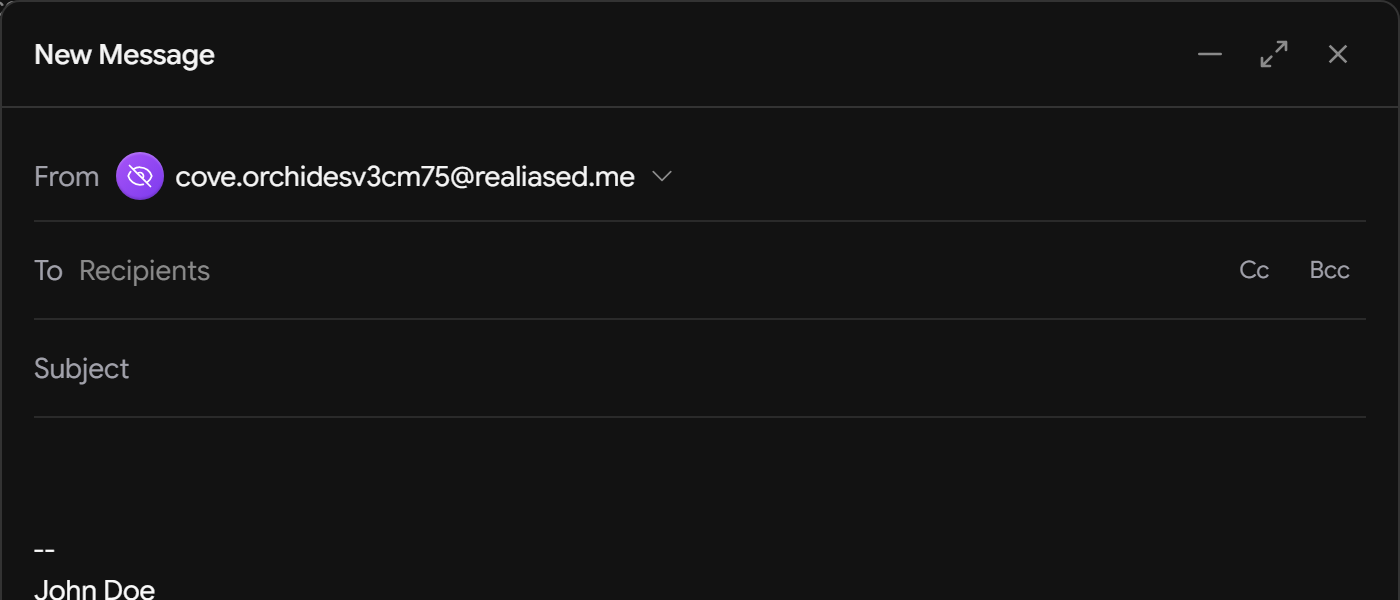
You can review every ghost alias you have created, active or already expired, from the Ghost Aliases tab under Aliases & Domains in your account settings. Each active alias shows its expiration date alongside Extend and Expire buttons.

What happens as an alias moves through its lifetime
Ghost aliases are built to clean up after themselves, and they move through a small number of stages on the way to being gone entirely:
- Active. The alias sends and receives mail like any other address in your account.
- Expired. Once its expiration date passes, the alias stops accepting new mail. Anything you already received through it stays exactly where it is; expiring an alias never removes messages already in your inbox.
- Grace period. For thirty days after expiration, the alias exists in a holding state. It cannot be recovered and it cannot be deleted, either by you or automatically, before this window closes. It has to run out.
- Removed. Once the grace period ends, a cleanup job deletes the alias permanently, and its address is added to a reserved list so that nobody else can register the same address later and receive mail intended for you.
There is no way to skip ahead. Once an alias expires, that is final: it cannot be brought back, and you cannot manually delete it during the grace period to speed things along. The only path from expired to gone is waiting out the full thirty days, at which point Aster removes it for you automatically. If you decide you need more time before that happens, you can extend an active alias up to a total lifetime of ninety days from when it was first created, and you can expire an alias yourself ahead of schedule. On every plan except Supernova and Family, an alias has to exist for at least thirty days before you can expire it early. That minimum age keeps the feature from being used to burn through addresses in rapid succession, which would defeat the abuse protections built around it in the first place.
How many you can create
Accounts on the free plan can create up to five ghost aliases per month, with the count resetting at the start of each new month. Paid plans get a substantially higher allowance, and on most paid tiers the monthly ceiling is removed entirely. Exactly how generous the limit is depends on which plan you’re on, so check your account settings for the figure that applies to you rather than assuming every paid tier behaves identically.
Next time you are about to hand your real address to someone you would rather not, open compose and try it instead.

Founder and CEO of Aster Privacy.